Give staff a simple directory inside SharePoint. People can search by name or email, filter by organisation details, view profile cards, and use quick actions for email, phone, and Teams where details are available.
Organisations that want a SharePoint staff directory based on Microsoft 365 profile data rather than a manually maintained contact list.
Practical people discovery for intranets, service portals, and team sites.
Find people by display name, email address, or sign-in name.
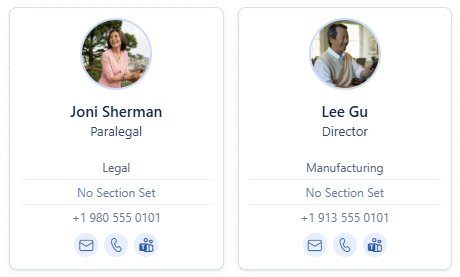
Show photos, job title, department, location, phone, mobile, and email where the profile contains that information.
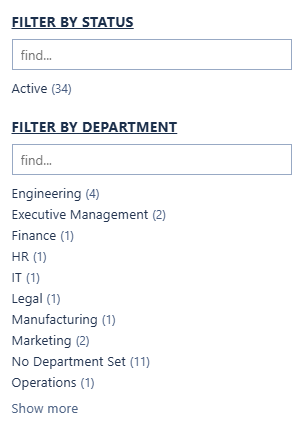
Narrow results by status, department, section, team, and location.
Open email, call available phone numbers, or start a Teams chat from the staff card.
The directory reads Microsoft 365 profiles at runtime, so staff data stays in the source your organisation already maintains.
The layout supports desktop and mobile pages with clear loading, empty, and error states.
Staff Phonebook gives people a clean SharePoint directory for finding colleagues, understanding where they sit, and starting contact quickly.
Search, filters, profile photos, roles, departments, locations, and contact actions come together in one practical staff directory experience.
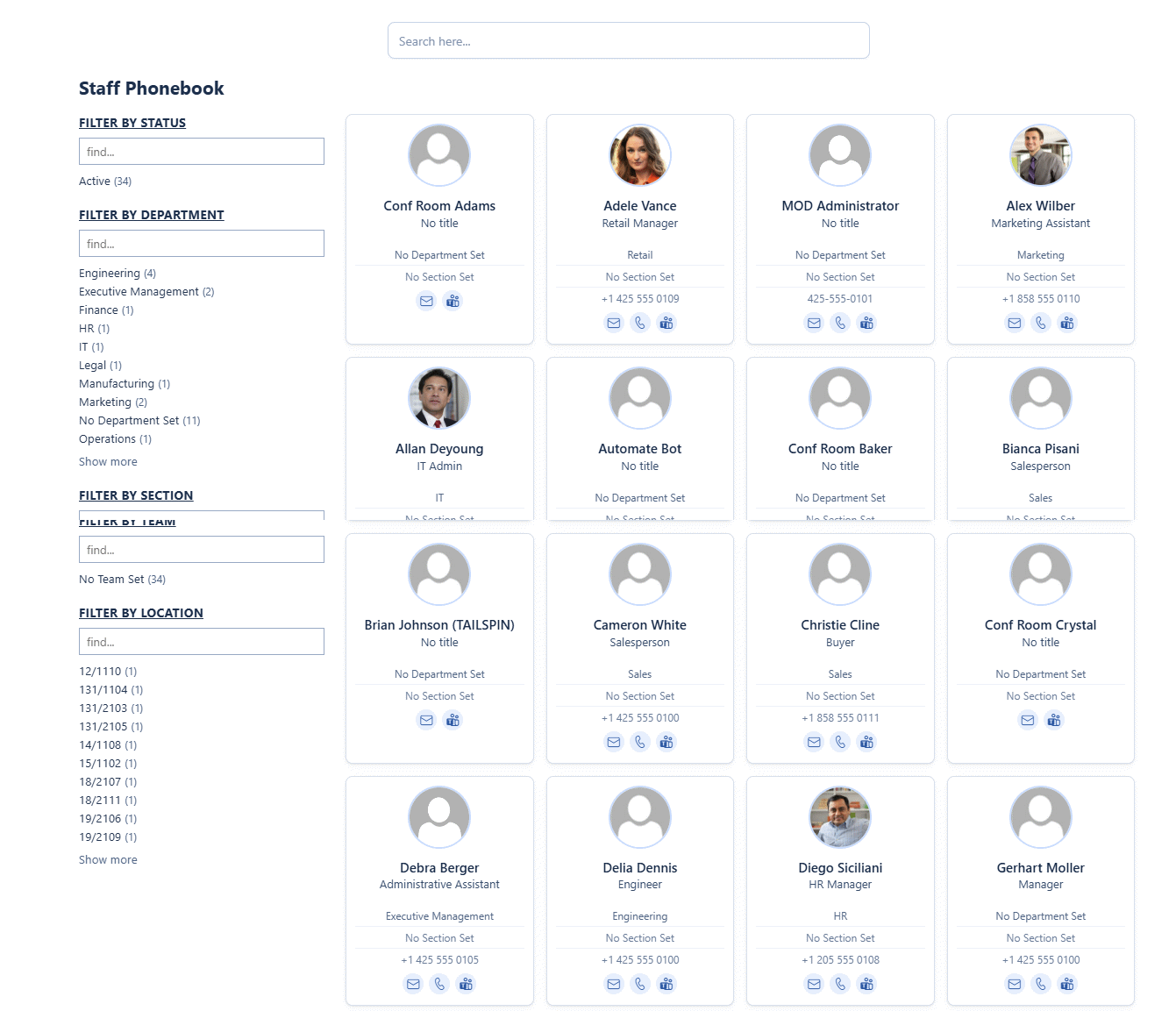
Each result can show the information people need most, including role, department, location, email, phone numbers, and Teams chat actions where available.
Department, section, team, status, and location filters help users narrow a large directory without needing to know the exact person they are looking for.
Send through your tenant and intranet requirements and I will confirm the package, permissions, and deployment path.
Buy Now